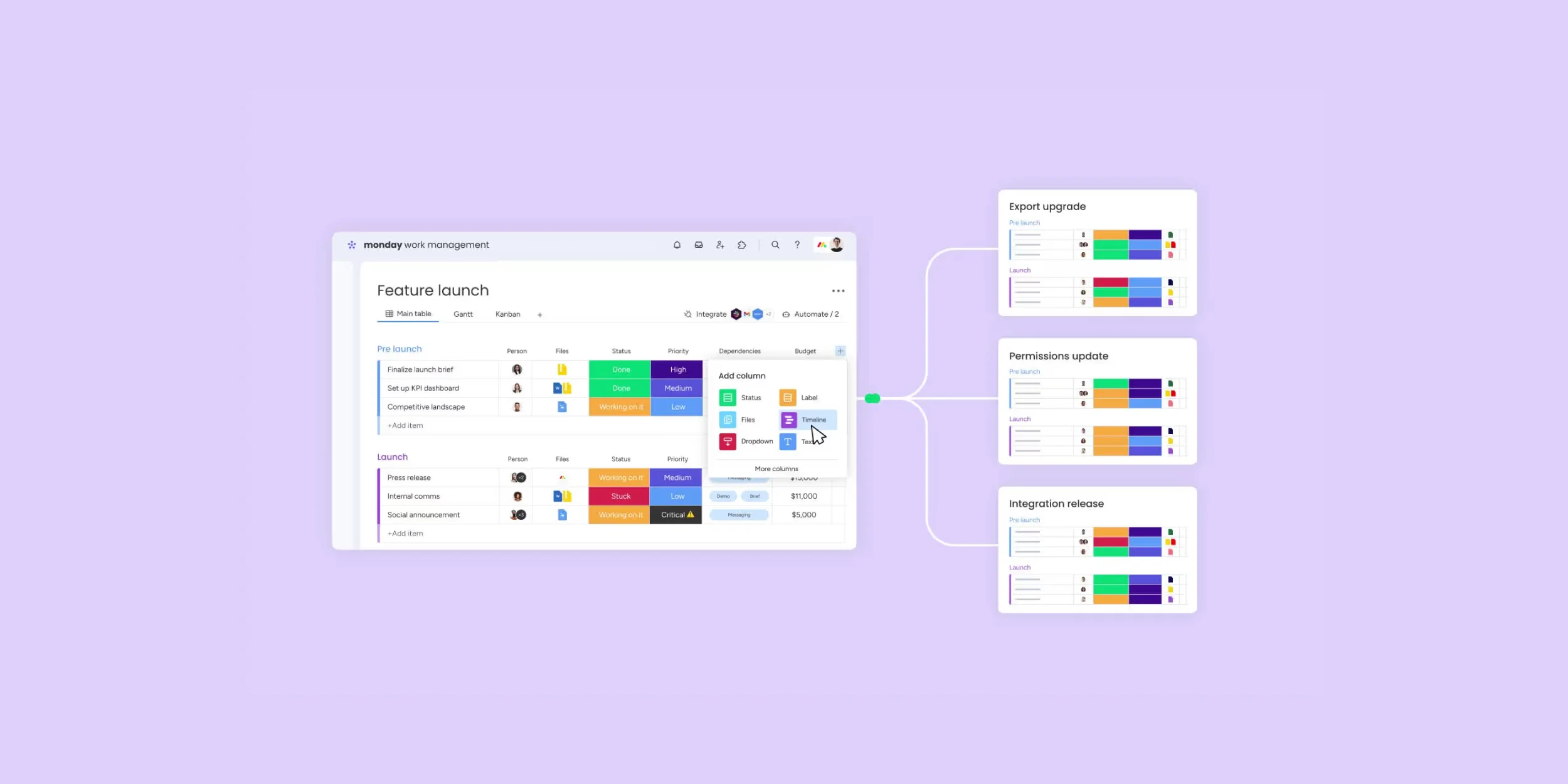
How to Organize Projects Using monday.com Work Management
Successful projects begin with proper organization. Whether you’re managing a marketing campaign, IT implementation, product launch, or daily business operations, having a structured system helps teams stay on schedule, communicate effectively, and complete work more efficiently.
Instead of relying on spreadsheets, emails, and multiple communication tools, monday.com Work Management provides a centralized platform where teams can organize projects, assign responsibilities, track deadlines, automate repetitive tasks, and monitor progress in real time.
With customizable workflows and visual project management tools, businesses can improve collaboration, reduce manual work, and gain better visibility into every project.

What is monday.com Work Management?
monday.com Work Management is a cloud-based work operating system (Work OS) designed to help businesses plan, organize, execute, and monitor projects from a single platform. It brings together project planning, task management, team collaboration, workflow automation, reporting, and dashboards, making it easier for organizations to manage work across departments.
Whether your team works in the office, remotely, or in a hybrid environment, monday.com provides real-time access to project information so everyone stays aligned and informed.
Why Project Organization Is Important
A well-organized project helps businesses complete work faster while reducing confusion and costly mistakes. When tasks, deadlines, and responsibilities are clearly defined, team members know exactly what needs to be done and when it should be completed.
Effective project organization also improves communication, increases accountability, minimizes duplicate work, and provides managers with better visibility into project performance. As businesses grow, having a structured project management system becomes essential for maintaining productivity and delivering successful outcomes.
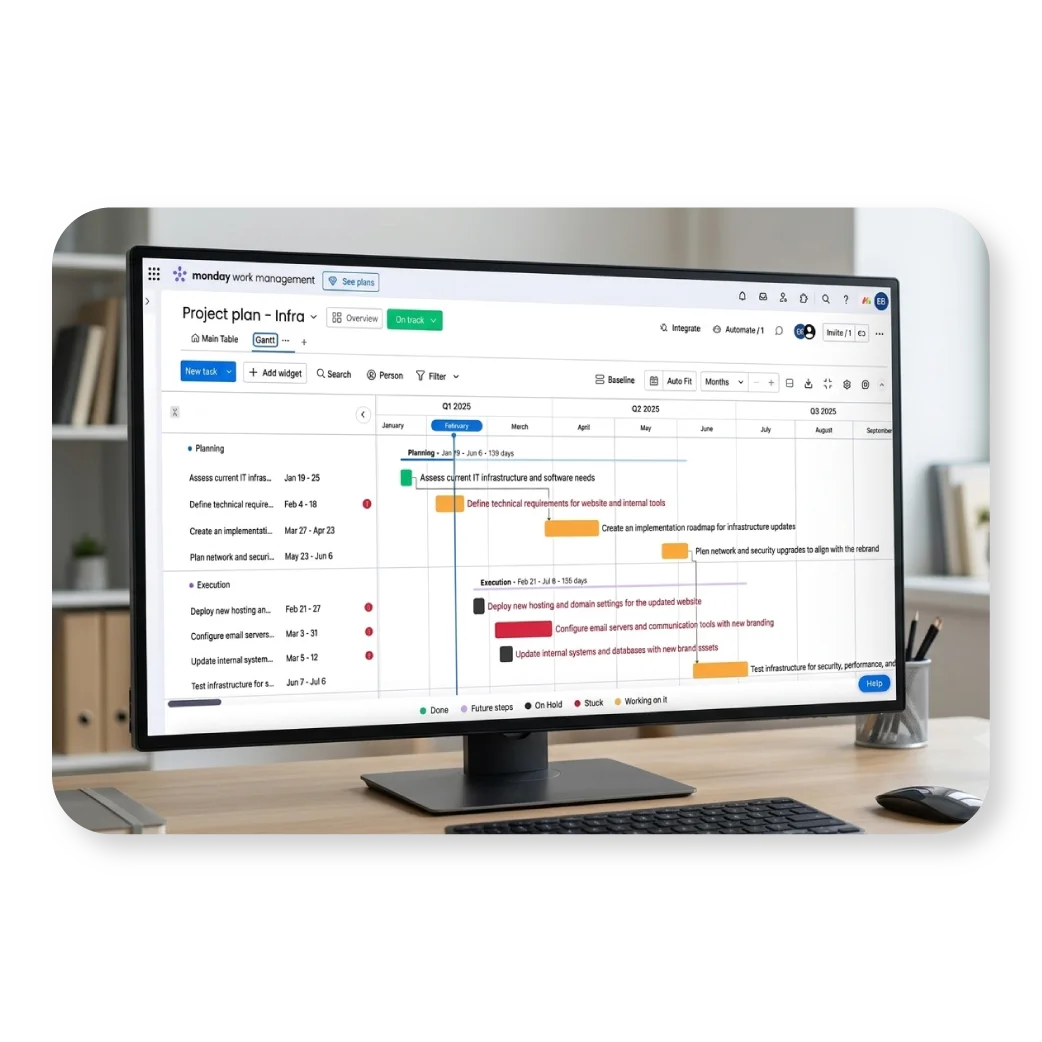
Steps to Organize Projects Using monday.com
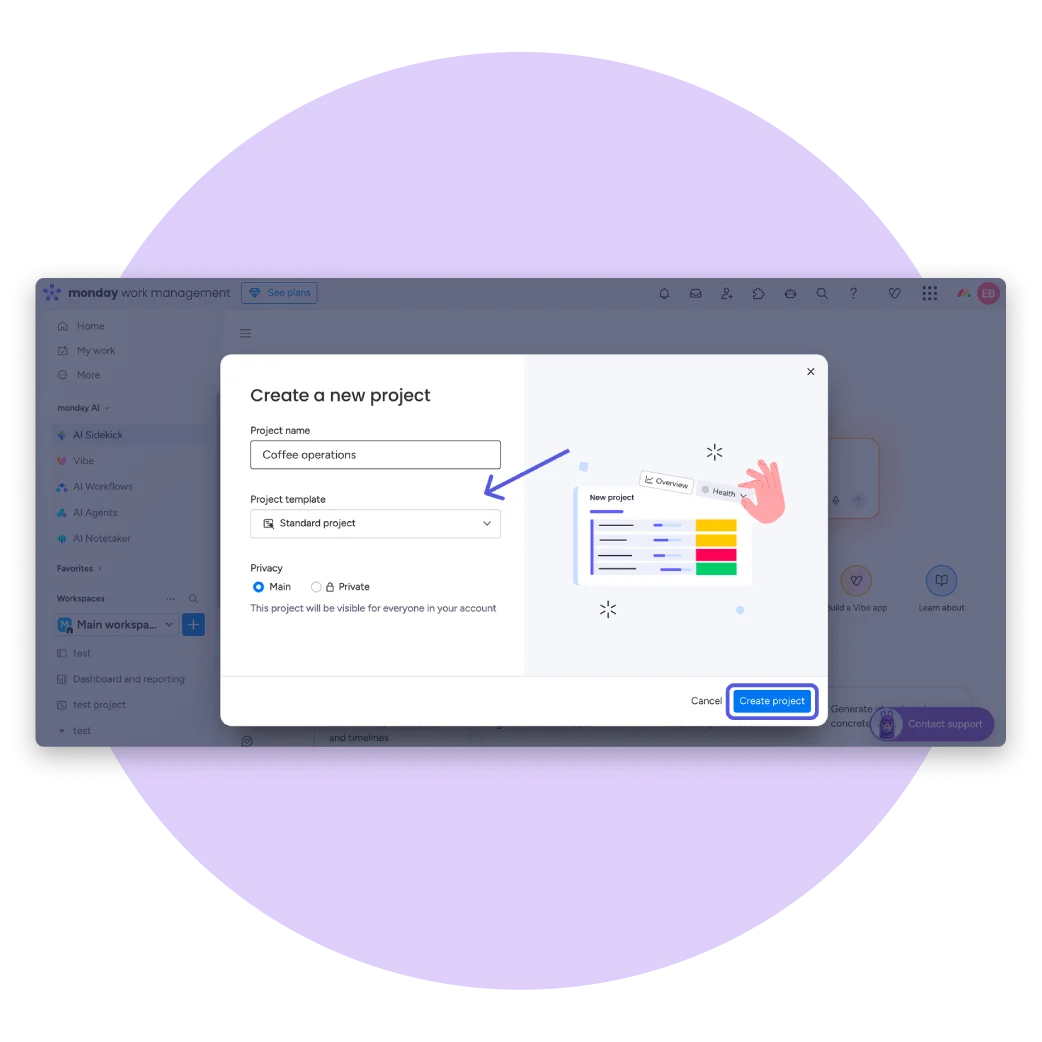
1. Create a Project Board
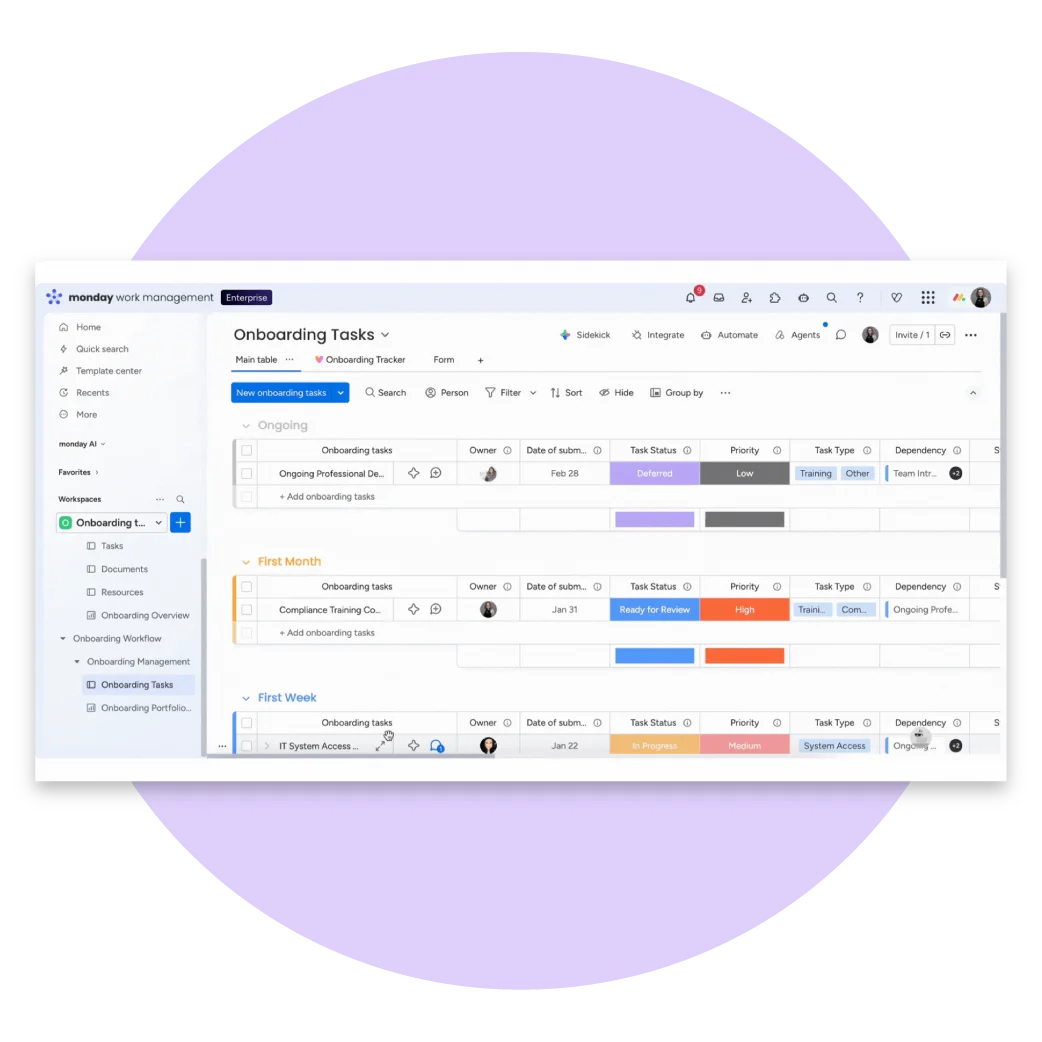
Start by creating a dedicated board for each project, department, or business function. A project board serves as the central workspace where all tasks, files, updates, and project information are stored.
Examples include:
- Marketing Campaign
- Product Development
- Customer Onboarding
- HR Recruitment
- IT Projects
- Construction Management
Keeping everything in one board makes project information easier to find and manage.
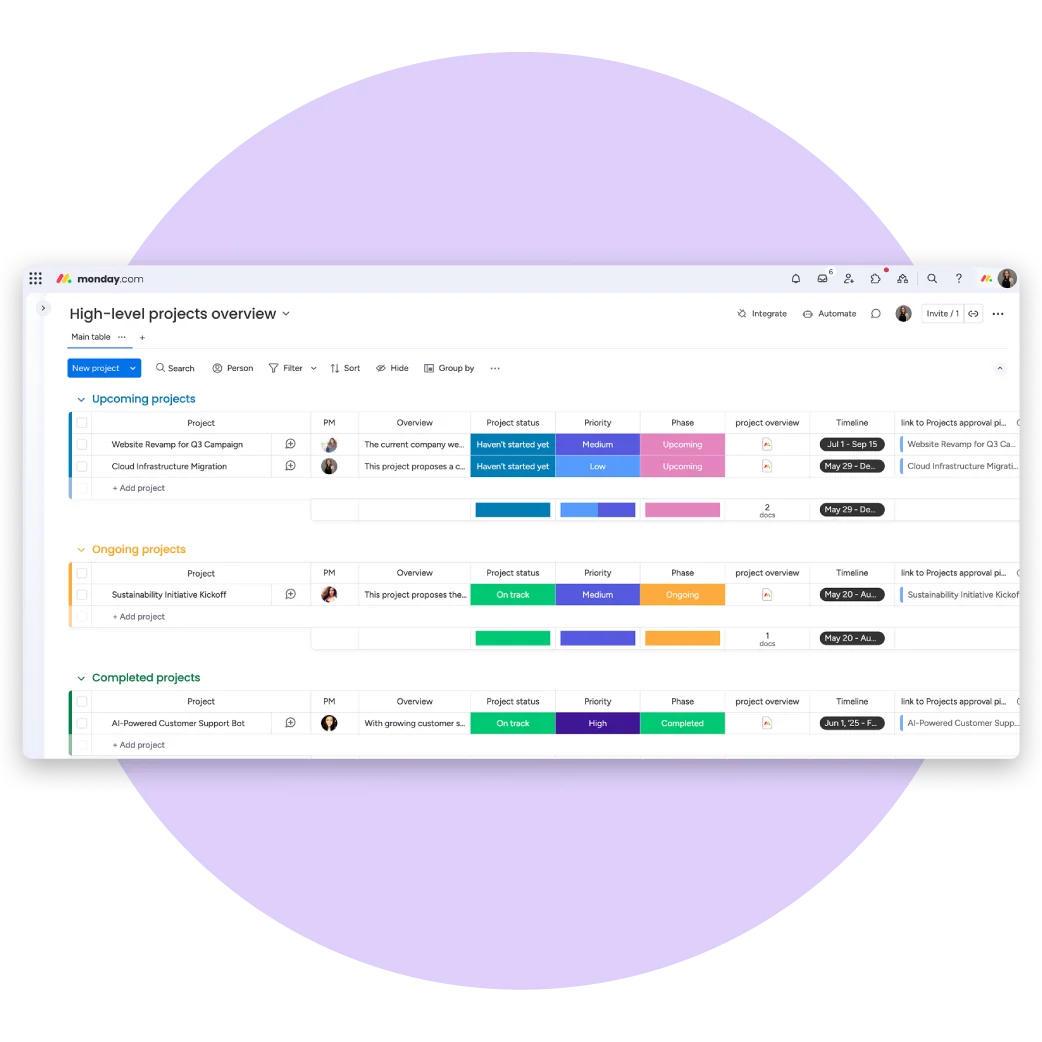
2. Organize Work into Project Phases
Break your project into logical stages or groups to make progress easier to track. Organizing work by phase gives teams a clear understanding of where each task belongs and what comes next.
Common project phases include:
- Planning
- Design
- Development
- Testing
- Review
- Completed
This structure keeps projects organized from start to finish.
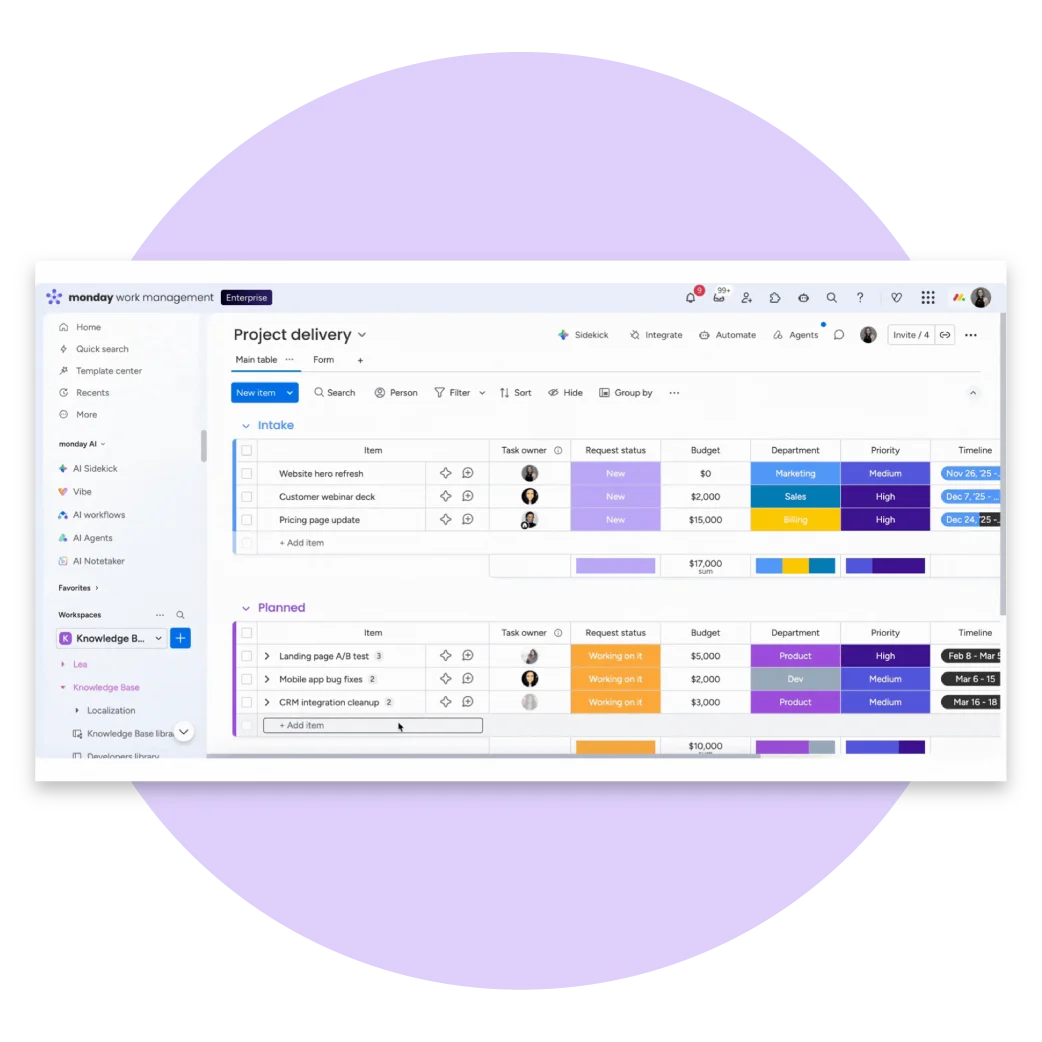
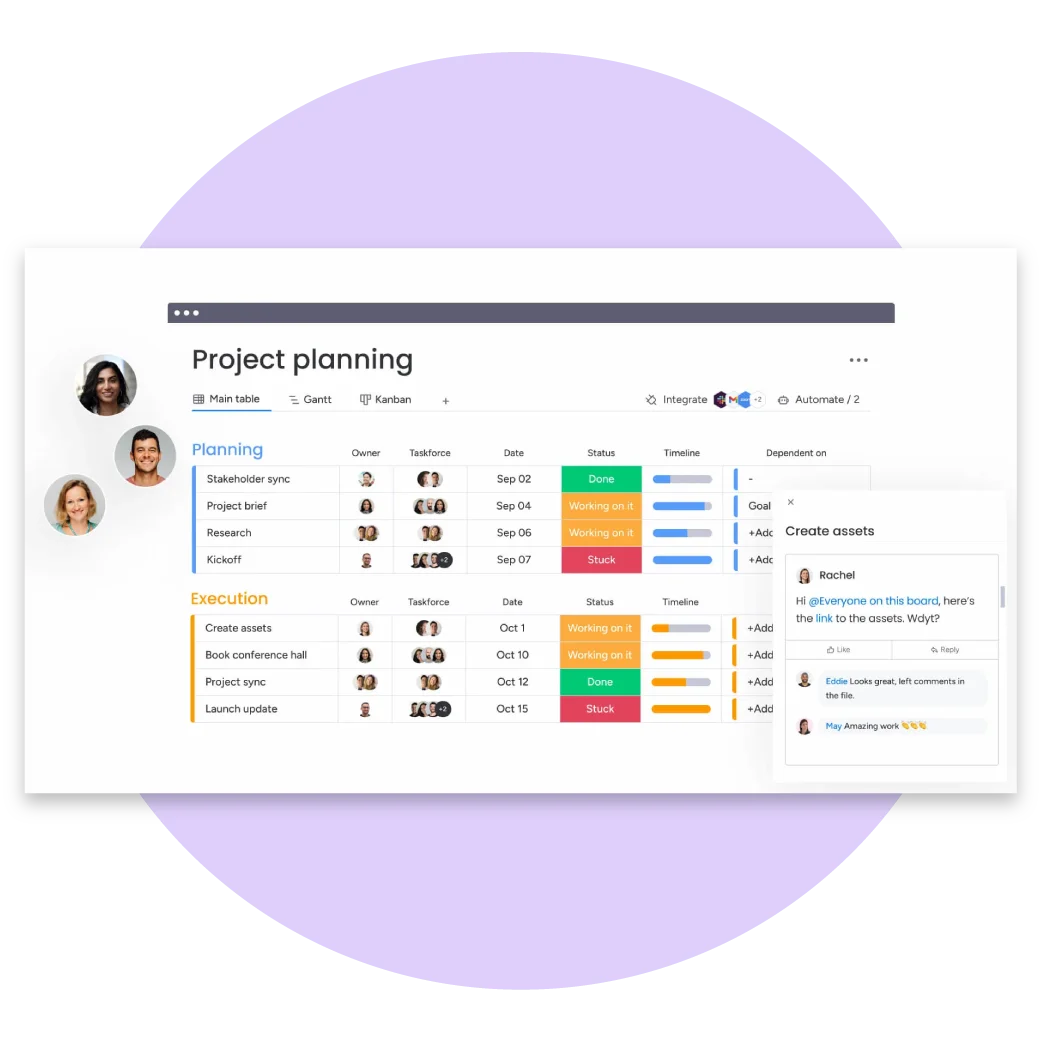
3. Create Detailed Tasks
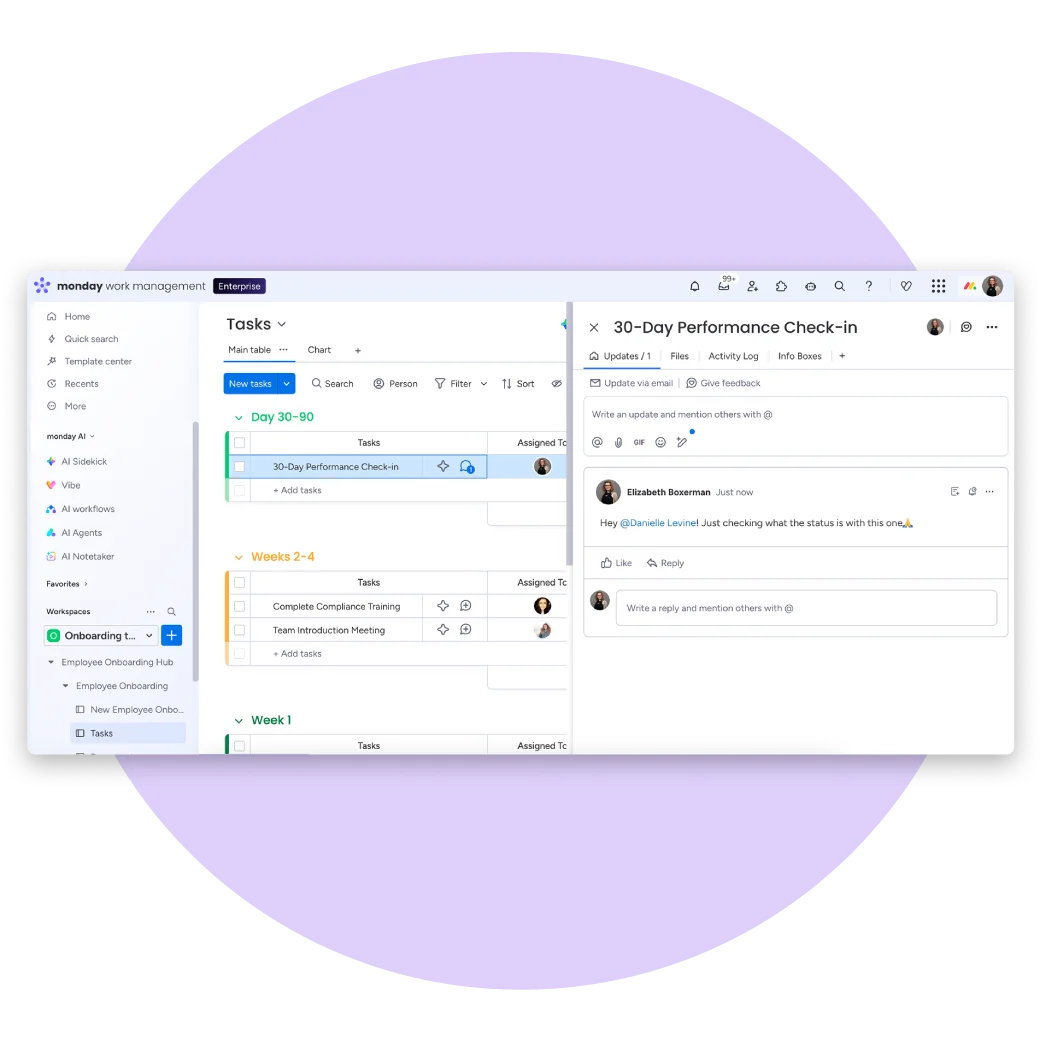
Every activity should be created as an individual task with clear instructions. Include task descriptions, supporting documents, checklists, due dates, and comments so team members have everything they need in one place.
Well-defined tasks reduce misunderstandings and help employees complete work more efficiently.
4. Assign Task Owners
Assign each task to the person responsible for completing it. Clear ownership improves accountability and ensures that every task has someone managing its progress.
Managers can quickly identify workloads and monitor task completion across the entire team.
5. Set Deadlines and Milestones
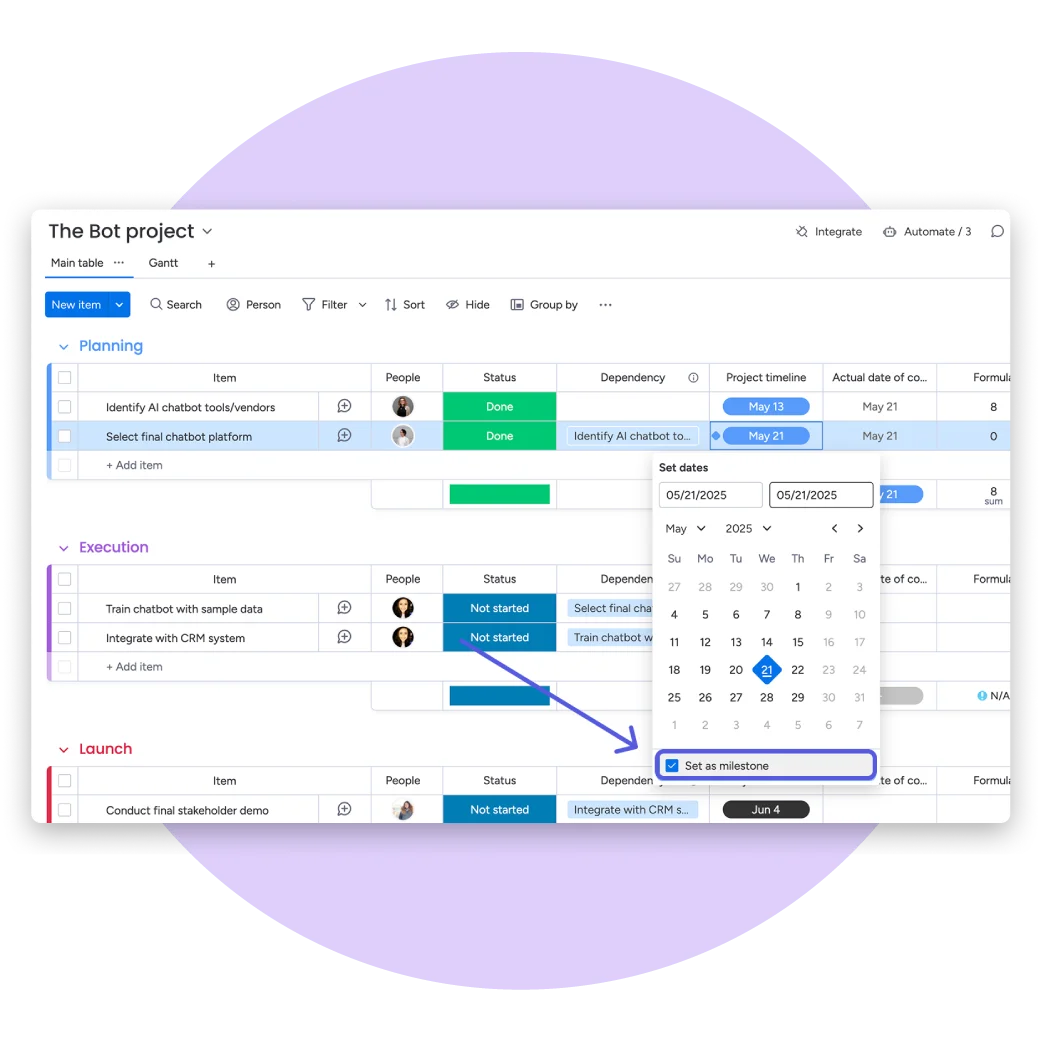
Adding start dates, due dates, and project milestones helps teams stay on schedule. monday.com automatically displays upcoming deadlines, making it easier to prioritize work and avoid delays.
Milestones also allow project managers to measure overall project progress throughout each phase.
6. Track Progress with Status Updates
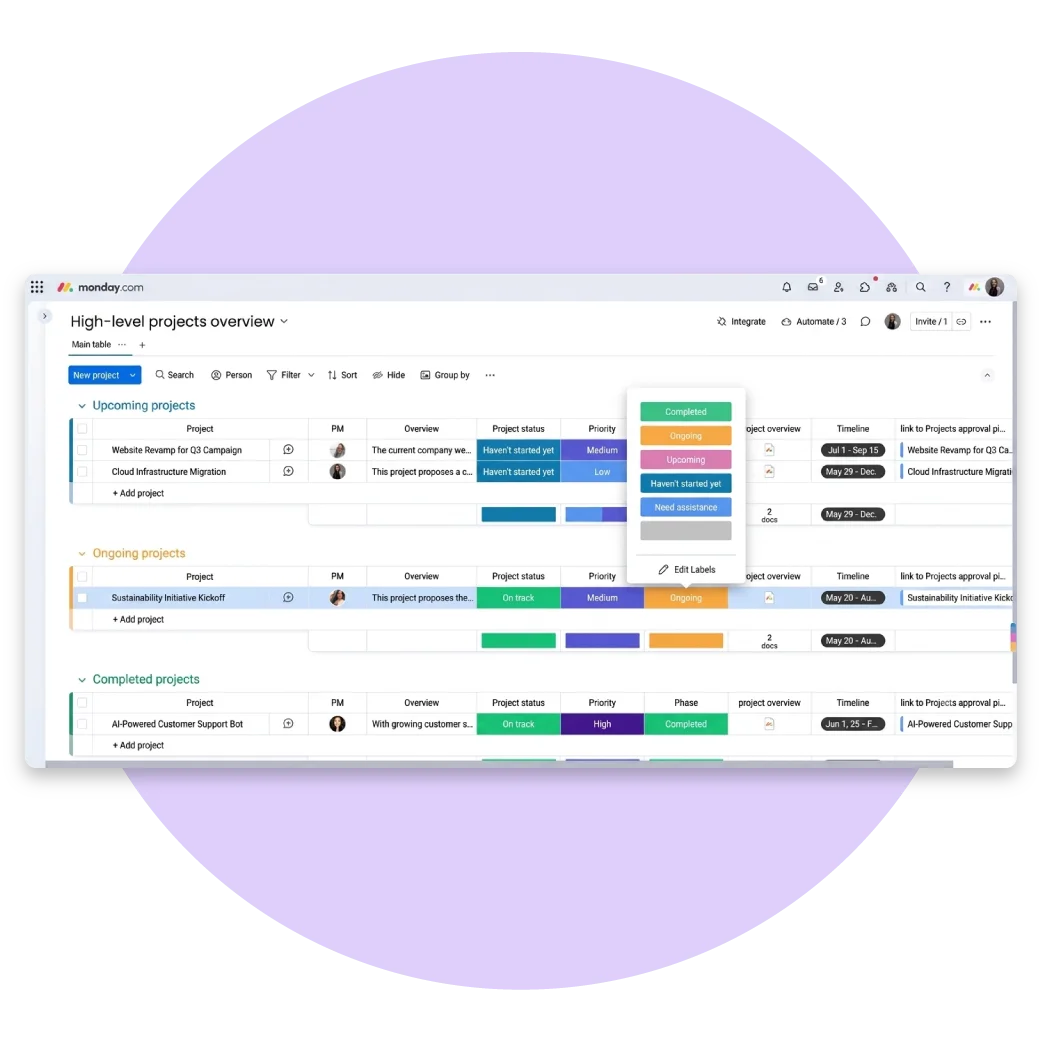
Use customizable status columns to monitor the progress of every task. Team members can update their work as it moves through different stages, giving managers real-time visibility into project performance.
Typical status labels include:
- Not Started
- Working on It
- Waiting for Approval
- On Hold
- Completed
This eliminates the need for frequent status meetings.
7. Prioritize Important Work
Not every task has the same level of urgency. Priority labels help teams focus on high-impact activities first while ensuring critical deadlines are met.
Priority examples include:
- Critical
- High
- Medium
- Low
Proper prioritization improves resource planning and productivity.
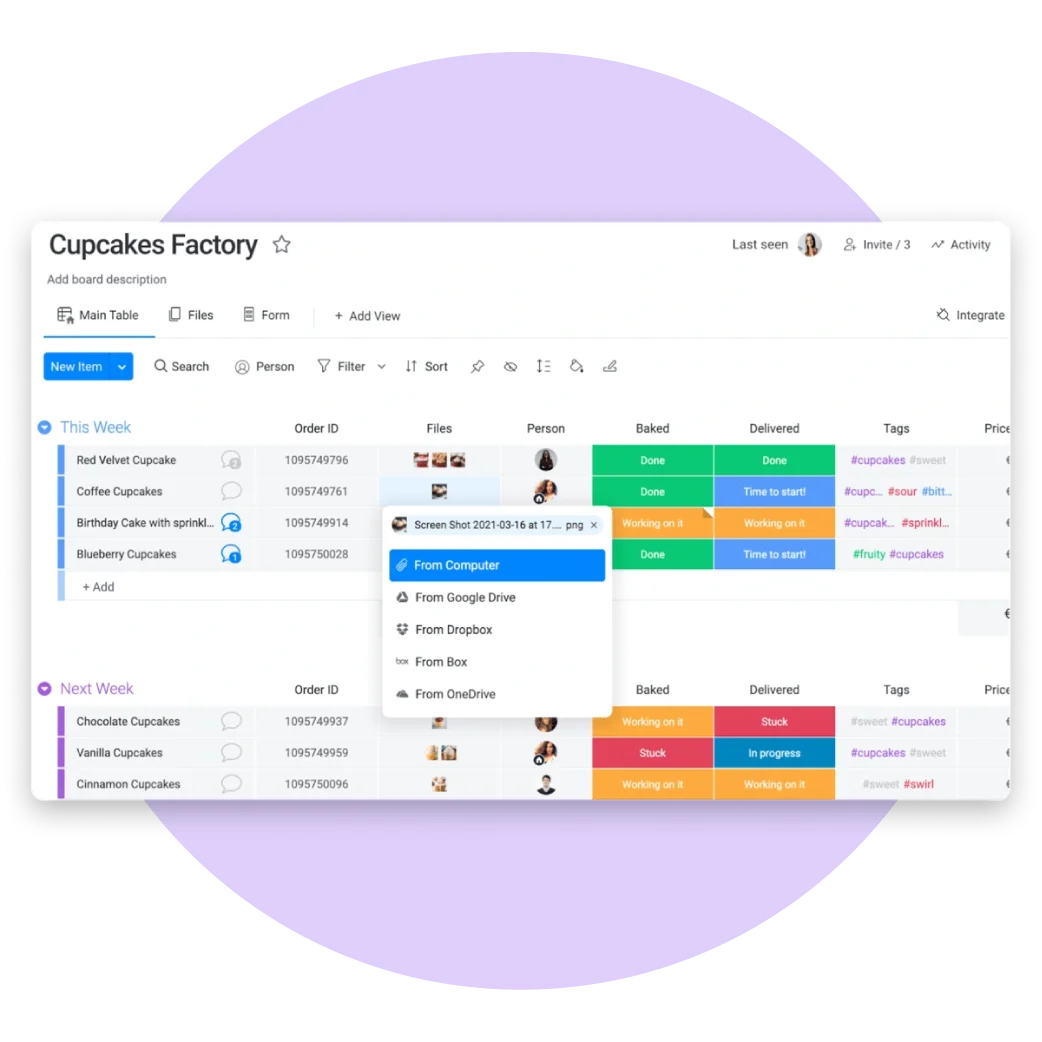
8. Store Files and Project Documents
Instead of searching through emails, upload documents directly into each task. Contracts, presentations, images, reports, and spreadsheets remain connected to the work they support, making collaboration much more efficient.
Having a centralized document repository also improves version control.
9. Automate Repetitive Work
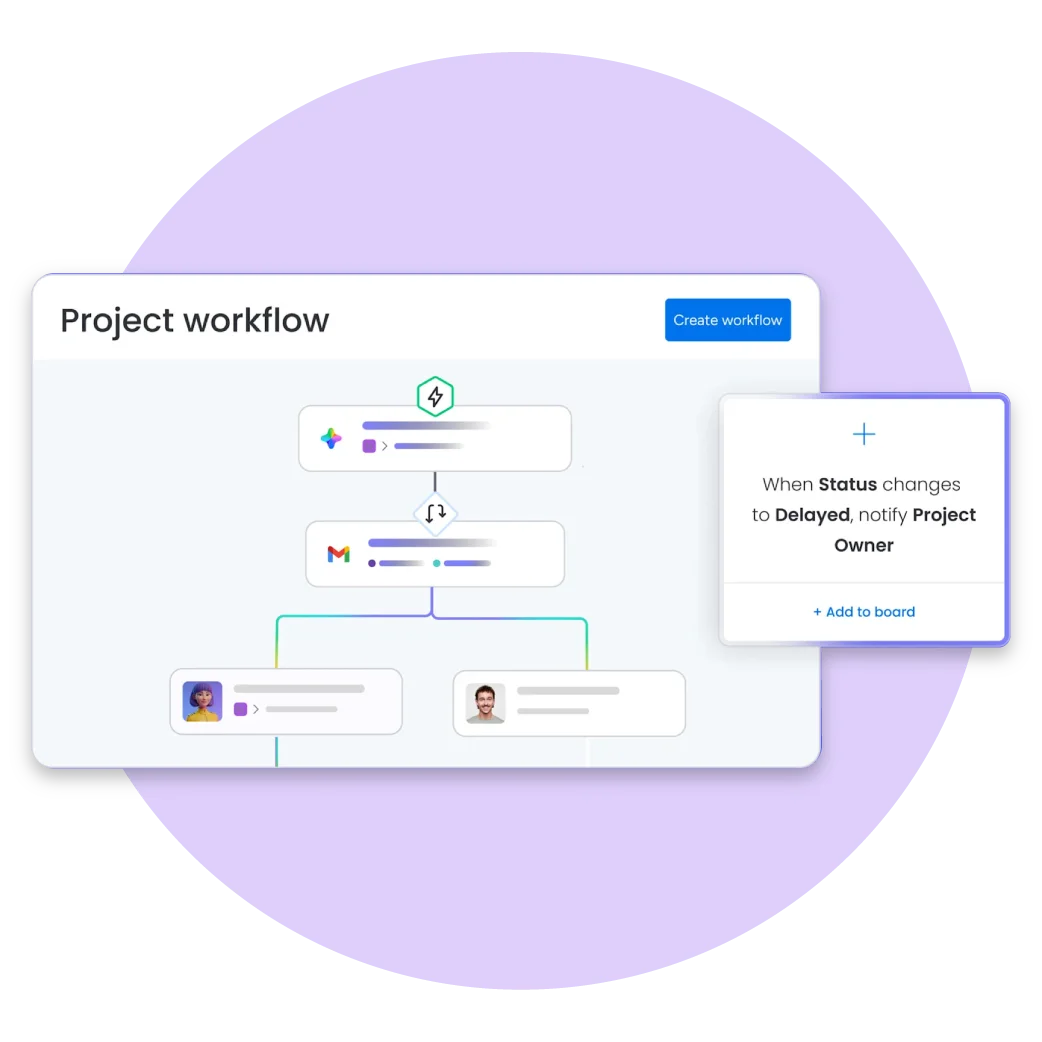
Workflow automation reduces manual administrative work and helps teams focus on higher-value activities. monday.com allows businesses to create automation rules without writing code.
Examples include:
- Automatically assign tasks
- Send deadline reminders
- Notify managers when work is completed
- Move tasks between stages
- Create recurring tasks
- Trigger approval workflows
Automation saves time while reducing human error.
10. Monitor Projects with Dashboards
Dashboards provide managers with a real-time overview of project performance. Instead of collecting updates manually, dashboards display key metrics such as project progress, workload distribution, completed tasks, upcoming deadlines, and team performance.
These insights help leaders make faster and more informed business decisions.
Best Practices for Organizing Projects
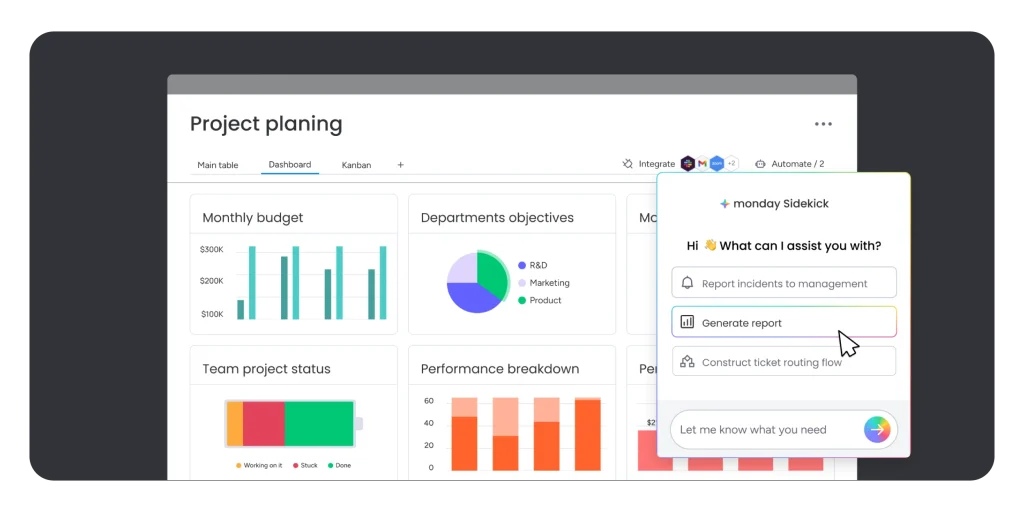
Businesses can maximize the value of monday.com by following proven project management practices.
- Use standardized project templates
- Define consistent project stages
- Assign one owner for every task
- Keep task descriptions detailed
- Update project statuses regularly
- Use automation to eliminate repetitive work
- Review dashboards weekly
- Archive completed projects
- Connect related project boards
- Regularly review team workloads
Following these best practices helps teams maintain consistency, improve collaboration, and deliver projects more successfully.
Key Features That Help Organize Projects
monday.com includes powerful tools that simplify project management and improve operational efficiency.
- Project Planning
- Task Management
- Workflow Automation
- Timeline View
- Kanban Boards
- Calendar View
- Gantt Charts
- Dashboards
- Workload Management
- Time Tracking
- File Sharing
- Team Collaboration
- Goal Tracking
- Reporting and Analytics
- Notifications
- Approval Workflows
- Portfolio Management
- Third-Party Integrations
These features enable businesses to manage projects of any size from a single platform.
Benefits of Using monday.com Work Management
Organizations that use monday.com often experience significant improvements in productivity and project visibility.
Benefits include:
- Better project organization
- Improved team collaboration
- Greater transparency across projects
- Faster decision-making
- Reduced manual work
- Increased accountability
- Better resource allocation
- Improved deadline management
- Real-time reporting
- Higher operational efficiency
By centralizing project information and automating routine processes, teams can spend more time delivering results instead of managing administrative tasks.
Send us a Message
For more information or inquiry about our products and services, kindly fill out the form below.
Get in Touch
