
Predict What Sells Next: AI-Driven Forecasting and Inventory Planning in Microsoft Dynamics 365 Business Central
In today’s fast-moving market, inventory decisions can make or break a business. Overordering ties up cash and drives up storage costs, while underordering leads to stock-outs, lost sales, and frustrated customers. This is where AI-driven demand forecasting in Microsoft Dynamics 365 Business Central becomes a true advantage.
By analyzing historical sales data with built-in AI capabilities, Microsoft Dynamics 365 Business Central enables business owners, inventory managers, and procurement officers to make smarter, insight-led decisions. Instead of relying on spreadsheets or guesswork, teams can accurately predict demand, improve replenishment planning, and maintain the right balance between customer satisfaction and cost efficiency.

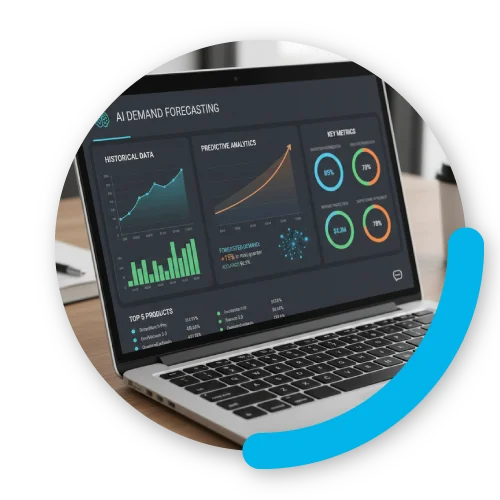
What is AI-Driven Demand Forecasting?
AI-driven demand forecasting is simply a smarter way to predict what your customers will buy next. Instead of relying on fixed, static formulas or guesswork, it uses artificial intelligence to learn from your past sales and spot patterns—like seasonal spikes, trends, or sudden changes in demand.
As your data changes, the forecasts adjust too. That means your predictions stay relevant, even when customer behavior shifts.
In Business Central, this capability is built right in through the Sales and Inventory Forecast extension. Powered by Azure AI, it automatically turns your sales history into clear, practical forecasts—so you know what to stock, when to restock, and how to stay ahead without overordering.
What Makes AI Better at Forecasting?
Forecasting can be tricky, with lots of factors affecting demand. AI brings a new perspective, giving businesses a smarter way to anticipate what’s coming. Here are a few reasons why AI makes forecasting more efficient:
Uses Historical Data More Effectively
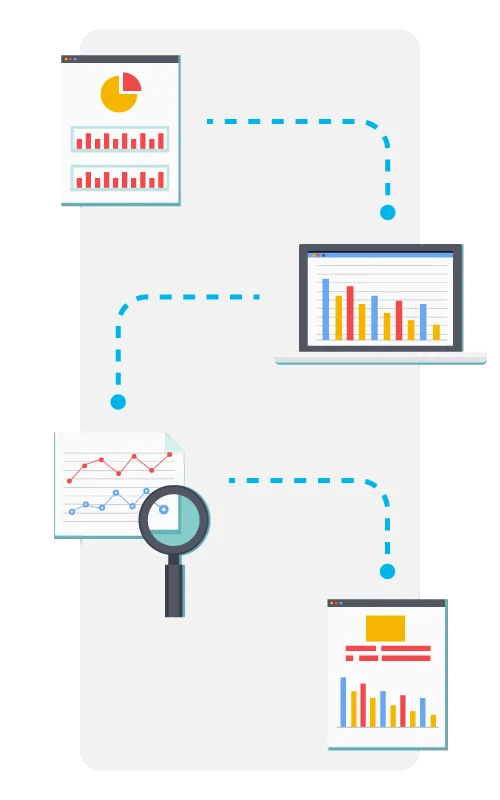
AI-powered demand forecasting analyzes past sales data at scale. In Business Central, forecasts are generated using:
• Posting Date
• Item Number
• Quantity sold
By compressing and analyzing this data across defined periods, AI can detect patterns that are difficult to identify manually.
Identifies Trends and Seasonality
AI inventory forecasting excels at recognizing recurring patterns such as seasonal demand spikes or gradual growth trends. This allows businesses to prepare in advance rather than reacting too late.
Reduces Human Bias
Traditional manual forecasting often depends on assumptions or intuition. With artificial intelligence for inventory management, decisions are based on real data, not hunches—making forecasts more consistent and reliable.
Gets Smarter Over Time
The more data the system processes, the more accurate predictions become. With enough historical data and stable demand patterns, AI-driven forecasting in Business Central delivers increasingly reliable results.
The AI Advantage in Inventory Planning
Keeping the right amount of stock is always a balancing act—too much ties up cash, order too little and you run out of stock. AI helps businesses get a clearer picture of what they’ll need, making it easier to stay ahead, cut down on waste, and avoid surprises
Prevents Stock-Outs
Nobody likes running out of stock—especially when customers are waiting. AI-powered forecasting spots items that might sell out soon. For example, if your coffee shop usually sells out of oat milk on Mondays, Business Central can flag it ahead of time so you can restock before the rush.
Replenishes Just When You Need It
Instead of ordering on a fixed schedule, AI helps you order just when you need it. Say your electronics store usually orders headphones every month—but sales suddenly spike during a new product launch. AI can suggest ordering earlier so you don’t miss out on sales.
Delivers Great Service Without Overspending
Inventory management is always a trade-off between customer service and cost. AI helps strike the right balance by maintaining optimal stock levels without over-investing in inventory.
Takes Care of Repetitive Tasks
No one enjoys crunching endless spreadsheets. AI handles the heavy lifting, letting your team focus on smarter decisions. Imagine a warehouse manager using the extra time to plan promotions or improve warehouse layout instead of manually calculating reorder points.
Powerful AI-Driven Tools in Business Central
Business Central brings AI-driven tools into everyday workflows to help businesses work more efficiently. These tools turn data into practical insights that support better operational planning.
Sales and Inventory Forecast Extension
The Sales and Inventory Forecast extension is the core of AI-driven demand forecasting in Business Central. It uses historical sales data and Azure AI to predict future demand, helping your team spot potential stock-outs and make smarter purchasing decisions.
Why it’s helpful:
• See what’s likely to sell next with AI-powered accuracy
• Check forecasted demand right on item records
• Quickly spot items that might run out soon
• Get suggested orders for your vendors
Key Features:
1. Flexible Forecast Configuration
You can fine-tune how AI calculates forecasts:
• Choose monthly or quarterly periods
• Select the number of historical periods to analyze
• Set the forecast horizon
Pro tip: A monthly forecast over a 12-month period usually gives the best balance of accuracy and ease of use. The more complete your historical sales data, the smarter your AI predictions will be.
2. Item-Level Forecast Visibility
On the Items page, the Item Forecast pane shows estimated sales for upcoming periods. This helps inventory teams quickly see which items may run out and plan replenishment without guesswork.
3. Reliable Data for Accurate Predictions
For AI forecasting to generate accurate predictions, it relies on precise historical sales data from your Item Ledger Entries. Specifically, the system looks at:
- Entries where the type is set to “Sale.”
- Posting dates within the historical period defined in the Sales and Inventory Forecast Setup.
- Quantities sold for each item.
4. Safe and Secure Design
Business Central subscriptions include access to predictive web services in all supported regions. These services are stateless meaning they:
- Use your data only to calculate forecasts
- Don’t store any business data
This design keeps your data private so it’s all under your control.


Enhanced Forecasting Worksheet for Smarter Planning
Business Central’s built-in forecasting charts are helpful, but they don’t always make planning easy. The Enhanced Forecasting Worksheet changes that. Previously part of a premium pack, it’s now free for one (1) user, bringing enterprise-level forecasting to small and mid-sized businesses.
Why you’ll love it:
• Filter forecasts by item, category, or warehouse / location
• Adjust confidence levels for key items
• Use different forecasting algorithms for different products instead of one-size-fits-all
This tool turns forecasts into actionable planning. You can also update demand forecasts, adjust reorder points, calculate safety stock using real lead times, and test multiple algorithms—all in one simple worksheet.
Key Features:
Smarter Predictions with AI
Let AI powered by Azure Machine Learning help you predict demand more accurately, so you can stay ahead of sales trends and keep the right stock on hand.
Set It Your Way
Pick your own rules—like reorder points, safety stock, and max inventory—so forecasts fit your business, not the other way around.
Plug Straight Into Business Central
Forecasts go right into Dynamics 365 Business Central, ready to use. No extra steps, no fuss—just actionable insights.
Start Small, Grow Big
Kick things off with one user and scale up easily as your team grows.

Why Forward-Thinking Businesses Invest in AI
For business owners, inventory managers, warehouse leads, and purchasing teams, demand forecasting isn’t just about better numbers—it’s about running a tighter, more connected operation. And to get the most value, having the right implementation partner matters.
With an experienced partner like Mustard Seed Systems Corporation, AI forecasting is properly configured to match how your business actually works—from replenishment rules to purchasing workflows. This ensures the system supports daily decision-making, and is tailored to their unique processes instead of overcomplicating day-to-day operations.
With the right guidance in place, you can:
• Align purchasing and replenishment plans with real demand
• Improve visibility across warehouse and inventory operations
• Reduce manual effort in data management and forecasting updates
• Lessen adjustments and back-and-forth between teams
• Improve coordination between purchasing, procurement, and inventory teams
By leveraging AI inventory forecasting with the help of experts, businesses gain clarity and move from reactive planning to proactive strategy.
